

If you are searching for a Tower Rush Slot App on mobile, the first thing to understand is that access can look different depending on your device and the casino operator behind it. Some players prefer a direct install, while others are happier using a browser-based version that behaves like an app. This guide explains what a realistic Tower Rush Slot App Download process usually looks like, what to check before you install anything, and how mobile play actually feels once you are inside the game.
The goal here is to help you make a safe, informed choice instead of chasing a random file or a misleading banner. You will see how the Tower Rush Slot Casino App may work on Android and iPhone, how installation steps differ, and which features matter most for day-to-day play. We also cover bonuses, rewards, and the practical details that matter when you want smooth mobile access to Towerrushslot App Download options.
50 Free Spins + 100% Match
Spin for free and get your deposit matched instantly
Get Bonus
Tower Rush Slot App Download for Android and iPhone Users
Android and iPhone users rarely get the same download path, and that is the main thing to understand before you tap any install button. A Tower Rush Slot App Download may appear as a native app, a web app shortcut, or an APK package depending on the operator and region. On Android, the process is often more flexible, while iPhone users usually rely on App Store approval or a browser-based experience. That is why the label Towerrushslot App can mean slightly different things on different devices.
Before you install anything, it helps to check storage, operating system version, and whether the source is truly official. A genuine Towerrushslot App Download should make the device requirements clear and should not pressure you into unusual permission requests. If you are comparing the mobile route with the browser route, think about convenience, update frequency, and how comfortable you are with installing software. The safest Tower Rush Slot App option is the one that matches your device and is easiest to verify. Learn more about Tower Rush Slot Game.
Can I install the Towerrushslot App on both Android and iPhone?
Yes, but the route is usually not identical, and that matters more than many players expect. On Android, a Towerrushslot App may be offered as an APK file or through a mobile listing, while iPhone users often see a Safari-friendly web version or an App Store page if the operator supports one. The same brand name can therefore lead to two different installation experiences. That is normal for Tower Rush Slot Casino App access and does not automatically mean something is wrong.
What matters most is whether the game opens quickly, saves your login securely, and lets you return to play without repeated setup. If a native Tower Rush Slot App is unavailable on iPhone, the browser version can still deliver the same slot gameplay with far less friction. Android users should still confirm that the file comes from the operator, not a copied mirror site. In both cases, the name on the screen should match the Towerrushslot App Download source you intended to use.
Which download method is safer: browser, APK, or app store?
For most players, an app store listing is the easiest option to trust because the platform adds a review layer before publishing. A browser-based Tower Rush Slot App Download is also a strong choice when you want to avoid installing extra files and simply want to open the game in a secure session. APK files can be useful on Android, but they demand more caution because the responsibility for source checking falls on you. That is why the safest Towerrushslot Casino App route is often the simplest one.
A good rule is to treat any unusual redirect, fake countdown, or copycat logo as a warning sign. A clean Towerrushslot App Download should not ask you to install unrelated software or grant access that has nothing to do with gaming. If you are unsure, compare the publisher name, the icon, and the wording on the page before moving forward. A legitimate Tower Rush Slot App Download should look consistent from the first tap to the first launch.
Useful mobile features are easier to spot when you look at the app like a checklist rather than a single download button. These are the details that usually separate a smooth Towerrushslot App experience from a frustrating one:
- Portrait-friendly controls that keep the reels, balance, and spin button readable inside the Tower Rush Slot App.
- Fast balance updates and bet feedback so the Towerrushslot Casino App feels responsive during each spin.
- Mute, sound, and vibration toggles that are easy to find inside the Towerrushslot App Download interface.
- Secure login, session timeout protection, and account history inside the Tower Rush Slot App Download flow.
- Responsible-play tools and recent-play records that help you manage sessions in the Towerrushslot App.
If these features are visible and easy to use, the mobile version is usually doing its job well.
- Android
- App store listing, APK, or browser shortcut
- iPhone
- Safari web app or App Store listing
- Tablet
- Browser/PWA or native mobile version
- Both
- Official mobile site with saved shortcut
Towerrushslot App Installation Steps for Safe Mobile Access
A careful install process matters because most problems happen before the first spin, not during the game itself. A clean Towerrushslot App Download should start with the official source, a quick check of device compatibility, and a look at the permissions you are being asked to approve. If the file or page asks for more than a mobile casino should need, pause and double-check the source. The safest Tower Rush Slot App setup is usually the one you verify slowly.
On Android and iPhone, the installation path can differ, but the basic safety habits stay the same. You want to know where the file came from, what it will install, and whether the branding matches the site you intended to use. A reliable Towerrushslot Casino App should open cleanly and keep the login process simple. If anything feels rushed, the better move is to stop and confirm the details before continuing.
How do I check whether the app is genuine?
The fastest way to spot a genuine app is to compare details rather than relying on the logo alone. Look at the publisher name, spelling, screenshots, and the wording used in the description of the Towerrushslot Casino App. A real product usually has consistent branding across the download page, the login screen, and the support area. If the naming changes from one screen to the next, that is a signal to slow down.
You can also test the support contact or help menu before you deposit anything. A properly presented Tower Rush Slot App should connect you to the same brand identity on every page, not a jumble of unrelated names. If the download source is official, it should not hide the terms or make the privacy information hard to find. That consistency is one of the easiest ways to judge a Towerrushslot App quickly.
What if installation is blocked by my phone settings?
This happens often on Android when the device blocks installs from unknown sources, and it is not always a problem by itself. If you are using a legitimate Towerrushslot App, the fix may simply be a temporary permissions change in your phone settings. On iPhone, the process is usually different, because the device may prefer a browser-based launch or an approved listing. Either way, the point is to keep the change as limited as possible and only for the trusted file you intended to use.
After the install finishes, turn off the extra permission again if your phone allows it. That way, your Tower Rush Slot App Download does not leave the device more open than necessary. If the block continues, try the browser version rather than forcing the install through a risky mirror. A legitimate Towerrushslot App should still be playable through a secure mobile web session if the native route is unavailable.
A simple install sequence helps you avoid mistakes, especially when you are using a new phone or a fresh browser profile. Follow these steps for a safer Tower Rush Slot App Download process:
- Open only the official mobile source for the Towerrushslot App Download and avoid lookalike pages.
- Check device compatibility, available storage, and operating system version before starting the Tower Rush Slot App install.
- If needed, allow only the minimum permissions required for the Towerrushslot App to run properly.
- Complete the installation, then verify that the branding and login screen match the official Towerrushslot Casino App.
- Sign in, test the lobby, and make a small account check before you continue with a real session in the Tower Rush Slot App Download version.
Once those steps are complete, you should have a much clearer picture of whether the mobile setup is stable and genuine.
Towerrushslot Casino App Features for Seamless Game Play
A good mobile casino experience depends on how quickly you can see the reels, your balance, and the controls you use most often. The strongest Towerrushslot Casino App designs keep those elements visible without forcing you to hunt through too many menus. On a small screen, every extra tap matters, especially when you are switching between the lobby, the game, and account settings. A clean Tower Rush Slot App should feel fast before it feels flashy.
Performance is just as important as appearance because a slow interface breaks the rhythm of slot play. The best Towerrushslot App setups load quickly, switch screens without lag, and keep the game aligned properly in portrait mode. Sound controls, history, and balance information should be where your thumb expects them to be. When a mobile app gets these basics right, the whole session feels smoother and easier to manage.
What features matter most on a small screen?
On a phone, the most useful features are usually the most practical ones: clear buttons, readable text, and a layout that does not crowd the reels. A well-built Tower Rush Slot App keeps the spin button large enough to tap confidently and leaves enough space for the balance and bet amount. If the interface is cluttered, you will spend more time navigating than playing. That is why mobile design matters so much in a Towerrushslot App Download decision.
It also helps when the game opens directly in the right orientation and keeps the main controls stable during play. A tidy Towerrushslot Casino App should not make you zoom in just to read a menu item or a bonus rule. Small-screen comfort is not just a visual issue; it affects how quickly you can react during a session. The smoother the layout, the easier it is to stay focused on the game inside the Tower Rush Slot App.
Does the mobile version support live balance, sound, and history?
Most modern mobile casino setups should show balance changes immediately after each wager, and that is one of the most useful features to check first. A reliable Towerrushslot Casino App usually updates your session information without making you refresh the page. Sound and mute controls should also be easy to locate because players often switch them on and off depending on where they are using the app. Those simple tools make the Tower Rush Slot App Download experience feel much more complete.
History and recent activity are helpful because they let you review what happened without guessing. A practical Towerrushslot App should keep your last actions visible enough that you can track your play style and spending pattern. If these tools are hidden deep in menus, the mobile experience is less convenient than it should be. A strong Tower Rush Slot App brings those essentials closer to the main screen, where they are actually useful.
These feature checks are the ones most players notice first when they open the mobile version:
- The Tower Rush Slot App should show the reels, balance, and spin button without clutter.
- The Towerrushslot Casino App should load quickly and keep screen transitions smooth.
- The Towerrushslot App Download version should make sound and mute controls easy to find.
- The Tower Rush Slot App Download interface should protect your session with secure login and timeout handling.
- The Towerrushslot App should include history or recent-play access for quick review.
If most of these items are present, the mobile experience is usually comfortable enough for regular play.
How to Start Playing Tower Rush Slot on Mobile
Starting a session on a phone is usually quick, but a few setup choices can make the difference between a smooth run and a messy one. Before you open the Tower Rush Slot App Download version, make sure your account is ready, your connection is stable, and your bankroll is clear in your mind. Mobile play can feel very immediate, so it helps to prepare before the first tap. That way, the Towerrushslot App feels easy to use instead of rushed.
The best mobile sessions usually begin with a simple routine: log in, confirm your balance, choose a sensible stake, and only then enter the game. A properly set up Tower Rush Slot App should make those actions straightforward and quick. If you are trying the Towerrushslot Casino App for the first time, it is smart to spend a minute checking the menu and game rules before you spin. That small pause often prevents avoidable mistakes later.
What account setup do I need before the first spin?
At minimum, you need a working login and a way to confirm that your account details are correct. A smooth Towerrushslot Casino App experience usually begins with email or phone verification, plus any profile details the operator asks you to complete. If you plan to deposit, make sure your preferred payment method is already supported and ready. That preparation keeps the Tower Rush Slot App from interrupting your session later.
It is also wise to check your limits and profile settings before you start playing. A properly configured Towerrushslot App should let you move from login to the game lobby without repeated prompts or delays. If the app asks you to complete unfinished account steps, handle them first rather than trying to skip ahead. That makes the Tower Rush Slot App Download session more predictable and easier to control.
How do I choose stakes and use autoplay responsibly?
The safest starting point is usually a small stake, especially if you are still learning the game pace on mobile. A Towerrushslot App makes it easy to change bet size quickly, but that convenience should not tempt you into jumping above your comfort level. Use the session to see how the reel rhythm, volatility, and bonus frequency feel on your device. A cautious Tower Rush Slot App Download approach gives you more room to adjust.
Autoplay can be useful, but only after you understand how it stops and what limits it follows. In a well-designed Towerrushslot Casino App, those settings should be easy to review before you let the game run on its own. Keep your session length in mind and do not rely on automation to manage your budget for you. The most reliable Tower Rush Slot App strategy is still the one where you stay aware of every stake you place.
Mobile Bonuses, Promotions, and Rewards in the Casino App
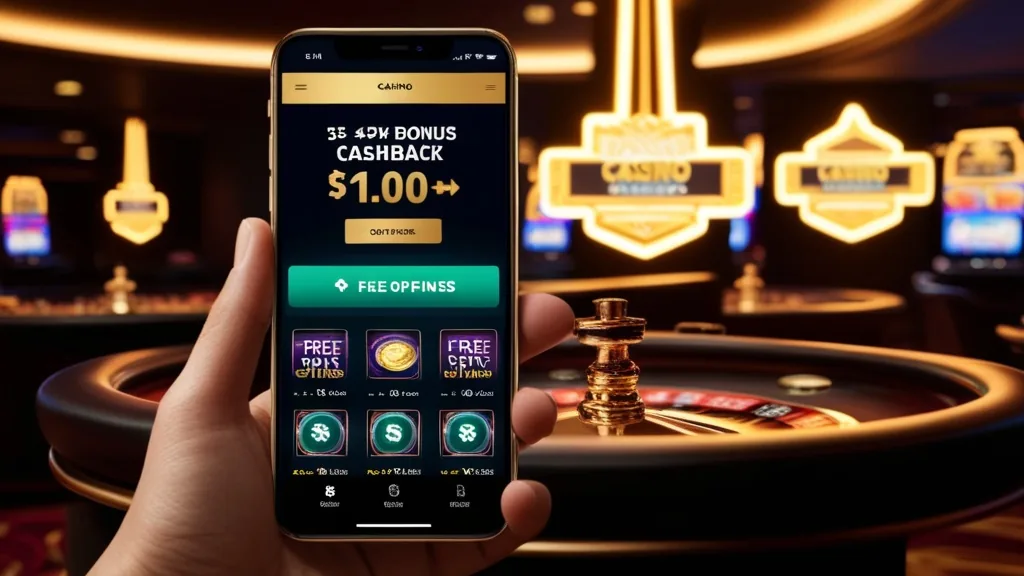
Mobile promotions are often built around convenience, so they may appear as app-only offers, push notifications, or short-lived rewards inside the lobby. A Tower Rush Slot App can make those offers easier to notice because they are delivered where you are already playing. The headline number is not the only thing that matters, though, because bonus rules can shape how useful the promotion really is. That is why a Towerrushslot Casino App promotion should always be read with the terms in mind.
The most useful mobile rewards are the ones that fit your play style and do not create confusing restrictions. A Towerrushslot App may show welcome deals, reload offers, free spins, cashback, or loyalty missions depending on the operator. What matters is not just what appears on the screen, but how quickly you can understand the wagering rules and expiry dates. A smart Tower Rush Slot App Download user checks the details before opting in.
Which mobile offers are most common for slot players?
The most common mobile offers are welcome packages, reload bonuses, and free spins tied to a first deposit or a recurring login event. A Tower Rush Slot App Download page may also highlight app-only missions that reward regular activity with points, spins, or small cash credits. These offers are popular because they feel immediate and easy to activate on a phone. In a busy Towerrushslot App, that convenience can make promotions stand out more than on desktop.
Some apps also send limited-time offers through push notifications or in-app banners, which means timing matters more on mobile. A Towerrushslot App can be useful here because it gathers the offer and the game in one place, so you do not have to jump between screens. Still, a short promotion is only valuable if you can complete the requirements on time. The best Tower Rush Slot App rewards are the ones you can actually finish without feeling rushed.
How can I keep bonus rules from reducing my winnings?
The simplest habit is to read the wagering requirement, max bet rule, game contribution, and expiry date before you accept anything. A Tower Rush Slot App may make the offer look quick to claim, but the terms decide what happens later when you want to withdraw. If the bonus looks unusually generous, the small print is even more important. A careful Towerrushslot App Download user treats the rules as part of the offer, not a separate detail.
It also helps to think about whether the promotion matches your normal stake size and session length. A Towerrushslot App bonus that requires faster play than you enjoy may turn into pressure instead of value. If you prefer calm, shorter sessions, choose rewards that do not force oversized bets or long grinding. That approach keeps the Towerrushslot Casino App experience more manageable and less likely to surprise you later.